%20(1)-B86R08ZzwhPzS6UZbG3mSxRWPCwGwn.png)


Most SEO dashboard tools are sold like they're interchangeable. They're not. In real agency and in-house work, the right dashboard isn't the prettiest one, it's the one that helps me answer a harder question fast, what changed, why it changed, and what I should do next.
That's why I don't start with feature sheets anymore. I start with the workflow, because dashboards that only repackage exports usually fail the moment a ranking drop, indexation issue, or traffic anomaly needs triage. The best tools unify signals from Search Console, analytics, rankings, backlinks, and technical health, which lines up with how SEO is measured now, not by a single metric but by a stack of them, with Google Search Console still acting as the baseline public layer for clicks, impressions, CTR, and average position (SEO reporting dashboard history and category shift).
My testing has also pushed me toward tools that support decision-making, not just reporting. I've seen dashboards work best when they catch issues early, keep the source logic clean, and make it easy to move from data to action, especially when SEO has to connect to conversions and revenue through proper tracking like UTMs and KPI definitions (define KPIs and set up UTMs).
Tabla de contenido
- 1. SemDash
- 1. SemDash
- 2. Semrush
- 3. Ahrefs
- 4. Moz Pro
- 5. SE Ranking
- 6. Serpstat
- 7. SISTRIX
- 8. Mangools
- 9. AccuRanker
- 10. AgencyAnalytics
- Top 10 SEO Dashboard Tools Comparison
- My Final Take How to Choose Your SEO Dashboard and Not Regret It
1. SemDash
SemDash is the newest tool on this list that I would trust in a live research workflow, because it behaves more like a decision system than a polished export layer. I tested it the way I use dashboards in agency and in-house work, and that is where it started to separate itself from the usual dashboard tools. The platform's scale is hard to ignore, with 6.6 mil millones de palabras clave de Google actualizadas en los últimos 30 días, 2.7 billones de backlinks with 15 billion plus crawled in the last 24 hours, y 600 millones de SERP actualizadas mensualmente (SemDash scale and dashboard market context). That kind of coverage matters most when I am mapping competitor gaps, not when I am staring at a vanity chart.
What actually worked for me
The strongest part of SemDash is how it brings keyword research, backlink research, and SERP history into one workspace. I found the mapeo a nivel de URL especially useful, because it avoids a mistake I see all the time, assuming a keyword belongs to a domain when it really belongs to one page that is carrying the visibility. The brecha de backlinks, detección de menciones no enlazadas, y recuperación de enlaces rotos flows also made outreach feel less random, which matters when link building has to support a content plan instead of sitting apart from it.
It also does a good job of making the next action obvious. I can move from a ranking change to the page, the link opportunity, and the SERP movement without stitching together three different exports first. That saves time in a client review, but it also exposes bad assumptions fast, especially when a page is ranking for a term that the broader site never targeted well. If you want a practical comparison before choosing between the newer dashboard style and a more established platform, I found this SemDash vs Ahrefs breakdown useful for separating similar-sounding features from actual workflow differences.
Regla práctica: if a dashboard cannot tell me which page ranks, which link opportunities matter, and which SERP shifts changed intent, I am still doing manual detective work.
For teams that need speed plus context, SemDash feels closer to a working surface than a reporting wrapper. It is especially strong when you want one place to validate keyword targets, spot weak link coverage, and see whether a shift is a page problem, a link problem, or a SERP problem. That said, I would still sanity-check the output against your own analytics and Search Console data, because no dashboard removes the need to interpret what the numbers mean in your own site structure.
1. SemDash
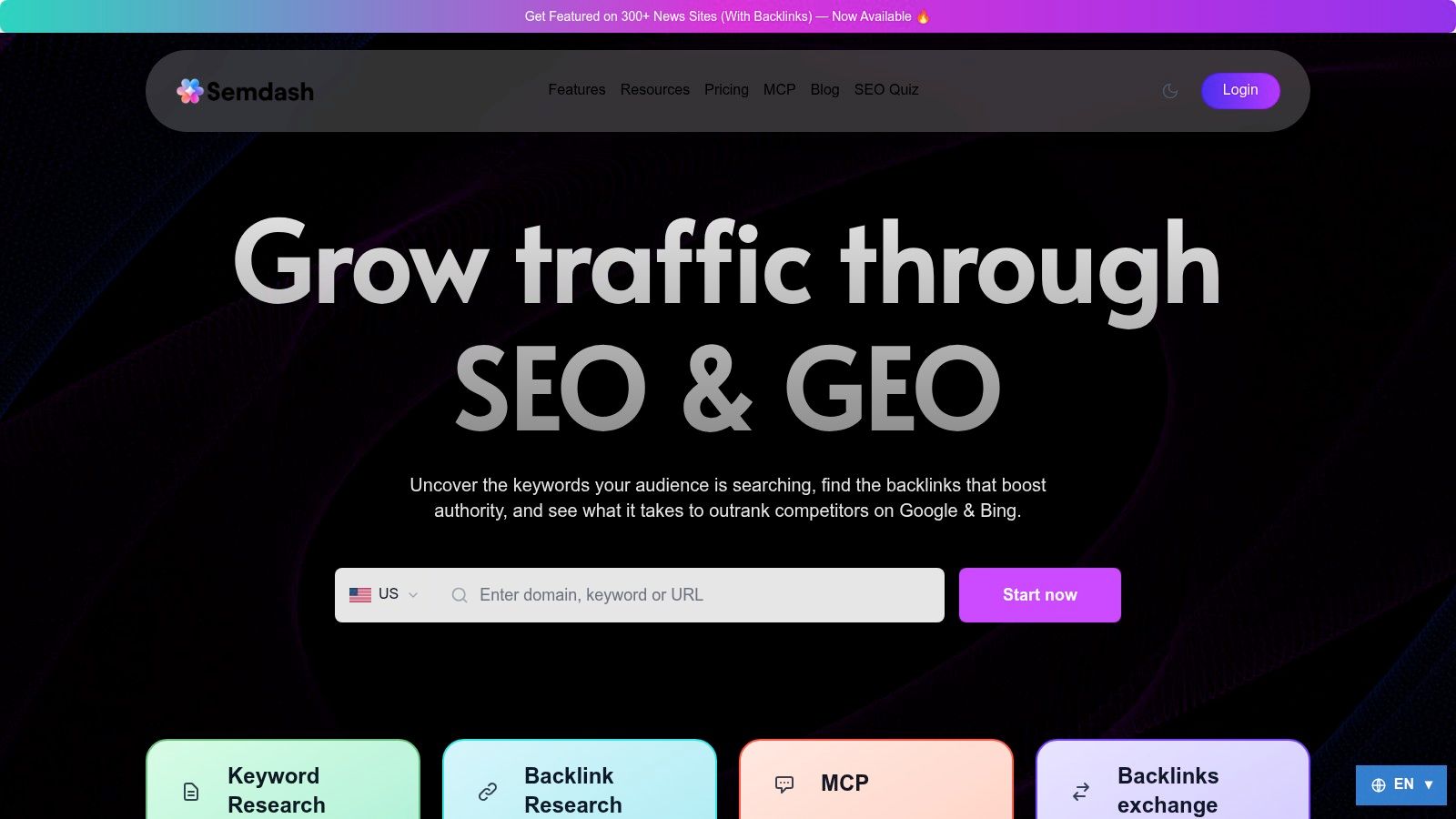
SemDash is the newest tool on this list that I'd trust in a real research workflow, mainly because it behaves like a decision system instead of a pretty export layer. The platform's scale is hard to ignore, with 6.6 mil millones de palabras clave de Google actualizadas en los últimos 30 días, 2.7 billones de backlinks with 15 billion plus crawled in the last 24 hours, y 600 millones de SERP actualizadas mensualmente (SemDash scale and dashboard market context). That's the kind of coverage I want when I'm mapping competitor gaps, not when I'm just checking a vanity chart.
What actually worked for me
The strongest part of SemDash is how it ties keyword research, backlink research, and SERP history into one workspace. I like the mapeo a nivel de URL because it removes a common mistake, assuming a keyword belongs to a domain when it really belongs to one page that's already doing the work. The brecha de backlinks, detección de menciones no enlazadas, y recuperación de enlaces rotos flows also make outreach less random, which matters when link building has to support a content plan, not sit apart from it.
Regla práctica: if a dashboard can't tell you which page ranks, which link opportunities matter, and which SERP shifts changed intent, you're still doing manual detective work.
SemDash is also one of the few newer platforms where the AI layer feels tied to search work rather than bolted on. The resúmenes de contenido asistidos por IA, search-intent classification, y la visibilidad en los Resúmenes de IA help when I need to see which queries trigger domain mentions and which exact URLs get cited. Its MCP integration for Claude or ChatGPT is a nice bonus for teams that want plain-English queries over live SEO data, but I still treat it as an accelerator, not a replacement for judgment.
Mejor opción: consultants, agencies, SaaS teams, e-commerce teams, and smaller shops that want serious data without buying a bloated suite. Trade-off: the public pricing story is still light, so I'd use the free access first and validate whether the returned depth matches your market.
Internal reference if you're comparing it against the incumbent suites, see SemDash vs. Ahrefs.
2. Semrush
Semrush is the platform I reach for when a team wants one dashboard that can cover research, monitoring, and client reporting without stitching together half a dozen tools. It also shows up often in larger SEO buying decisions, with 68% adoption among organizations that buy SEO tools as of June 2026, and it fits especially well in mid-market and enterprise setups where multiple teams need the same reporting language (Semrush usage adoption).
Where it earns its keep
What stood out in my testing is breadth that still feels usable. Semrush gives me keyword research, competitive intelligence, backlink analysis, site audits, and reporting in one place, so I can keep a client conversation grounded in one view instead of bouncing between exports. The newer SEO + AI Search positioning is useful because it adds AI Visibility tracking across Google AI Overviews and leading LLMs, which lets me compare classic rankings with AI search visibility without splitting the workflow.
I also keep coming back to it for agency work because the reporting layer is built for handing off results. White-label options and automation save time when the client wants a polished deliverable and does not care how many tabs it took to build. The trade-off is clear, the more depth you use, the more the cost can rise, and the learning curve is real if you are onboarding people who only need a few core metrics.
Semrush works best when several people need the same source of truth. It loses appeal when one operator only needs focused research and does not want to pay for the extra surface area.
Semrush is also a practical fit if you are trying to line up a wider content and reporting stack, not just SEO. I would still test it against your team's real workflow before committing, because feature depth can become operational drag if nobody uses half the menu.
Sitio web: Semrush
3. Ahrefs
Ahrefs still feels like the strongest tool when the job is deep competitive research and link analysis. I've used it in situations where the question wasn't “what changed?” but “what does the market already reward, and which page structure is earning it?” The answer usually starts in Site Explorer and Keywords Explorer, then moves into Site Audit and Rank Tracker.
Why I keep it on the shortlist
The thing Ahrefs does well is make the web's linking structure feel legible. That matters because a lot of dashboard work still depends on understanding why one page outranks another, and backlink context often explains that faster than content audits do. The platform's historial de SERP, Brand Radar, and tracked AI prompts add a newer layer for AI search visibility, which helps when I need to see whether a brand is getting cited in answer experiences, not just classic blue-link results.
It's also a tool I trust for a more technical research rhythm. The crawler and link index feel mature, and the reporting is dependable once you know where the limits are. The part that frustrates teams is the cost structure, because user and add-on expenses can stack up quickly, and the default weekly rank update cadence may feel slow if your workflow expects more frequent movement.
What to watch out for
The common mistake is buying Ahrefs for everything, then using it only for rankings and backlinks. That's expensive overkill for teams that don't need its depth.
For that reason, I tend to reserve it for cases where link intelligence and historical search context matter more than dashboard decoration. If your team's real work is content planning or client reporting, another tool may be easier to operationalize.
Internal comparison point, Ahrefs alternatives and trade-offs.
Sitio web: Ahrefs
4. Moz Pro
Moz Pro remains one of the easier tools to hand to a team that needs structure without a steep learning curve. I've found it especially useful for SMBs and agencies that want campaigns, rank tracking, crawl data, and link insights grouped into a clean workflow instead of a dense research maze.
Where Moz Pro fits
The big strength is clarity. Moz Pro's Keyword Explorer, Link Explorer, and campaign dashboards make it straightforward to understand where a site stands, and the DA/PA language still helps in organizations that think in those terms. That doesn't mean Domain Authority is the final answer to SEO quality, but it does give non-specialists a shorthand they can use.
I also like the educational layer. Moz has always been good at teaching the why behind the what, and that matters when I'm onboarding marketers who need to learn how to read a crawl issue or interpret rank shifts without staring at an intimidating wall of metrics. On higher tiers, the AI visibility and AI content brief features are a useful add-on, but I wouldn't buy Moz only for those.
Where it falls short
Moz Pro isn't the tool I'd choose for the deepest niche-market research. In broad categories it's perfectly capable, but when a project needs the most expansive database and the most aggressive competitive discovery, I usually want something heavier. The same goes for advanced workflows, some of the stronger capabilities are gated higher up the plan ladder.
Still, Moz Pro is easy to defend when the priority is usability, not maximal feature count. Teams that need a dashboard people will open every week tend to do well with it.
Sitio web: Moz Pro
5. SE Ranking
SE Ranking is the tool I recommend when a team wants a value-oriented all-in-one platform that doesn't punish them for wanting integrated reporting. It covers rank tracking, audits, keyword and competitor research, backlink analysis, and reporting without feeling like it's built only for large teams.
What made it useful in practice
The daily rank tracking is the headline for me, because it's practical rather than flashy. When I'm watching campaigns across locations or devices, I want the dashboard to feel current enough to support decisions, and SE Ranking does that without making setup painful. I also appreciate the GA4, GSC, and Looker Studio integrations, because they reduce the amount of manual reconciliation I have to do when leadership wants SEO data next to other marketing performance.
The platform's appeal is less about one killer feature and more about the overall package. It feels honest about what it is, a solid all-rounder with transparent pricing logic and enough flexibility for agencies that need to serve multiple clients. That's useful when you need repeatable reporting templates without enterprise overhead.
Where I'd be cautious
Backlink depth is the area I'd test closely before making a long-term commitment. If your workflow depends on extremely deep link intelligence, a dedicated link tool may outperform it. I'd also treat the AI and automation add-ons as nice-to-haves, not the main reason to buy.
The best use case is straightforward, agencies and SMBs that want one dashboard to cover the daily SEO loop without getting trapped in a premium-suite bill.
Sitio web: Clasificación SE
6. Serpstat
Serpstat is the underappreciated choice when I need broad coverage, quota clarity, and international reach without the pricing fog that sometimes comes with bigger suites. It covers the core SEO jobs I expect, keyword research, rank tracking, site audits, backlink analysis, and competitor work, but the way it packages those features feels more controlled than many rivals.
Why it works for a lot of teams
What stands out first is how Serpstat handles usage limits and exports. That sounds dry until you are the one trying to keep a reporting workflow alive across several markets and client accounts. Its daily Rank Tracker, Top-100 visibility, API access, and scalable export quotas make it easier to build processes that keep working when a stakeholder asks for more detail, more often.
I also like it for regional SEO work. The database coverage makes it more appealing for international teams than tools that are clearly strongest in a single market. Agencies feel that difference quickly, because client portfolios rarely stay neatly inside one geography, and a tool that handles that spread without constant workarounds saves time.
The trade-off
Serpstat's interface can feel denser than the friendliest tools on this list. I've seen first-time users get lost in it because they expected a guided experience and got a platform that assumes more SEO fluency. That is not a dealbreaker, but it does mean the tool rewards operators who already know the workflows they want to build.
Backlink depth can also vary by locale, so link specialists should test it against their actual markets before relying on it. I would not treat that as a minor footnote if link analysis is a core part of your process, because the value of the platform changes depending on where you work and what you need from it.
Even with those caveats, Serpstat has a real place in a working stack. I would rather use it with a clear process than use a prettier tool that cannot keep up when reporting volume rises.
Sitio web: Serpstat
7. SISTRIX
SISTRIX is the tool I think of when a team wants historical visibility more than a flashy all-in-one suite. Its reputation comes from the Índice de Visibilidad, and for European teams especially, that metric is often the starting point for serious SEO conversations.
Where SISTRIX stands out
The long time horizon matters. On higher tiers, SISTRIX offers historical context stretching up to 13 years, which is exactly the kind of data that helps me separate a temporary wobble from a structural shift (SISTRIX product capabilities). When you're working on a migration, a recovery, or a market-entry plan, that historical layer is worth more than a shiny dashboard widget.
I also like the way it handles crawling and tracking. The JS-capable crawling modeled on Googlebot behavior makes it more relevant for modern sites than older tools that still pretend the web is static. For teams that track across markets, the export and API allowances are useful because they support analysis outside the product.
What to expect
SISTRIX isn't the easiest tool for a US team used to the more common all-in-one suites. The workflow feels different, and that's not a flaw so much as a design choice. It's also priced in euros, which is a real consideration if you're buying from the US and need to account for currency and tax effects.
I like SISTRIX when the question is, “What does the market look like over time?” I don't reach for it when the team wants a broad content and reporting system in one familiar interface.
Sitio web: SISTRIX
8. Mangools
Mangools is the easiest tool on this list to recommend to a solo operator or a small team that wants to get moving quickly. It's made up of five integrated apps, KWFinder, SERPWatcher, SERPChecker, LinkMiner, y SiteProfiler, and the whole package is intentionally friendly.
Why it's good for fast starts
The UI is the selling point. You don't need much ramp-up time to start pulling keyword ideas, checking SERPs, or reviewing link opportunities. That matters for founders, freelancers, and small agencies that can't afford a week of training before they see useful data.
I also like the practical extras, especially the browser extension and the free tools. Those sound minor until you're jumping between a site, a SERP, and a prospect list all day. The city-level localization and the clearer plan structure are also useful, because they make the product easier to explain to someone who isn't deep in SEO every day.
Where it won't satisfy power users
Mangools is lighter than enterprise-grade suites, and it shows in data depth and limits. I'd avoid it for large-scale competitive programs or anything that depends on the deepest possible backlink and keyword coverage. The pricing details also load dynamically, so I'd verify the checkout terms before committing.
If a team wants to learn SEO without getting crushed by complexity, Mangools is a smart starting point. If the team wants to run a heavy research operation, it will feel small fast.
Sitio web: Mangools
9. AccuRanker
AccuRanker is the tool I reach for when rank tracking is the main job, not just one input inside a broader SEO stack. It is built for speed, segmenting data cleanly, and keeping reporting dependable, which makes it a solid fit for agencies that need rank visibility they can trust.
What it does better than broad suites
Consistency is the advantage here. Daily and on-demand updates across Google, Bing, and YouTube give me a tighter read on movement than many all-in-one platforms, and the segmentation tools are good enough to keep the data usable instead of cluttered. The dynamic tagging, Tag Cloud, and advanced filters are the parts that make the dashboard feel operational, not just presentable.
The integrations are also practical. When rank tracking feeds into Google Search Console, Analytics, and Looker Studio, it becomes much easier to use in agency reporting or internal review meetings. The AI-assisted metrics help with prioritization too, especially when a team needs a fast read on what deserves attention first.
The obvious limitation
AccuRanker is a pure-play tracker. That is not a knock on it, it is the trade-off you accept. You still need a separate research, audit, or backlink suite if you want a full SEO operating system.
That trade-off works well if your priority is best-in-class ranking monitoring and nothing else. It falls short if someone expects it to replace the rest of the stack.
Sitio web: AccuRanker
10. AgencyAnalytics
AgencyAnalytics is the dashboard I'd choose when the job is client-facing reporting across multiple channels, not deep SEO research. It centralizes 85 plus data sources and turns them into white-label dashboards and automated reports, which is exactly what a lot of agencies need.
Why agencies use it
The strongest part is governance. Client portals, access control, roll-up reporting, unlimited staff and client users, and automated scheduled reports make it easier to keep a messy account stack organized. That matters because the hidden cost in agency reporting is usually not the dashboard software itself, it's the manual cleanup that happens every month.
I also like that it brings SEO into the same space as PPC, social, and eCommerce. That helps when a client wants one performance narrative instead of separate teams sending separate PDFs. The anomaly detection and forecasting features are useful too, but I'd treat them as support tools rather than the reason to buy.
Where it needs help
Native SEO depth depends on what you connect. If the team wants deep keyword or backlink insight inside the platform, they may need the rank tracker or AI tracker add-ons. That's fine, but it means the platform is strongest as a reporting layer, not as a primary research engine.
For agencies already drowning in Looker Studio maintenance, AgencyAnalytics can be a relief. For pure SEO research, it's not the first tool I'd reach for.
Sitio web: AgencyAnalytics
Top 10 SEO Dashboard Tools Comparison
| Herramienta | Características principales | UX & quality ★ | Value & price 💰 | Público objetivo 👥 | Puntos de venta únicos ✨ |
|---|---|---|---|---|---|
| SemDash 🏆 | 6.6B keywords; 2.7T backlinks; 600M SERPs; URL-level mapping; AI briefs | Fast, simplified UI; very fresh data; ★★★★☆ | 💰 Affordable; free trial / starter access | 👥 SEO pros, agencies, growth teams, SMBs | ✨ AI Overviews (citation tracking); unlinked‑mention & broken‑link recovery; MCP integration; optional 300+ news links |
| Semrush | Keyword research; site audit; rank tracking; AI Visibility | Feature-rich dashboard; mature datasets; ★★★★☆ | 💰 Premium; costly with add‑ons | 👥 Agencies, enterprises, marketing teams | ✨ All‑in‑one reporting + AI visibility; white‑label reports |
| Ahrefs | Site Explorer; Keywords/Content Explorer; crawler; SERP history | Deep backlink index; strong research tools; ★★★★☆ | 💰 Premium; API & automation for advanced users | 👥 SEOs, agencies, data-driven teams | ✨ Large link index; robust SERP history; APIs |
| Moz Pro | Keyword & Link Explorer; DA/PA metrics; audits; rank tracking | Clear UI; great educational resources; ★★★★ | 💰 Mid-tier; transparent add‑ons | 👥 SMBs, agencies valuing DA/brand metrics | ✨ Predictable pricing; Learning Center & Academy |
| Clasificación SE | Daily rank tracking; site audit; backlink research; APIs | Practical dashboards; agency templates; ★★★★ | 💰 Value-oriented; clear annual discounts & quotas | 👥 Agencies, SMBs seeking scalable value | ✨ Flexible pricing; GA4/GSC integrations; agency templates |
| Serpstat | Rank tracker; site audit; API credits; export quotas | Quota-based packaging; wide regional coverage; ★★★★ | 💰 Competitive; scalable quotas & exports | 👥 Teams needing big‑data access & exports | ✨ Scalable export/API quotas; LLM Brand Monitor options |
| SISTRIX | Visibility Index; long historical data; projects & exports | EU-focused; long-term history depth; ★★★★ | 💰 Tiered Euro pricing; transparent quotas | 👥 EU teams, international trackers | ✨ Respected Visibility Index; up to 13 years historical data |
| Mangools | 5 integrated apps (KWFinder, SERPWatcher, LinkMiner…) | Beginner-friendly UI; fast to value; ★★★★ | 💰 Affordable plans; 48‑hr refund policy | 👥 Solopreneurs, SMBs, beginners | ✨ Simple toolkit; free tools & browser extension |
| AccuRanker | High-frequency rank tracking; segmentation; API & exports | Very fast, reliable rank data; ★★★★☆ | 💰 Pricing scales with keyword volume | 👥 Agencies needing precise rank visibility | ✨ On‑demand updates; advanced tagging & filters |
| AgencyAnalytics | White‑label dashboards; 85+ integrations; automated reports | Client-ready reporting; unlimited users; ★★★★ | 💰 Per-client billing; add‑ons for Rank/AI | 👥 Agencias, equipos orientados a clientes | ✨ Unlimited staff/clients; strong white‑label & automation features |
My Final Take How to Choose Your SEO Dashboard and Not Regret It
After testing these tools in real agency and in-house settings, my advice is simple, map the platform to the job. Don't buy an enterprise suite if you're a solo consultant who just needs dependable keyword and backlink data. Don't try to force a reporting tool into being your research engine either, because that's how teams end up with dashboards nobody trusts.
The biggest mistake I see is buying on feature count instead of workflow fit. The better question is whether the tool helps you move from data to decision without manual cleanup, source confusion, or reporting theater. That's where tools like SemDash have started to change my thinking, because the combination of broad keyword and backlink coverage, URL-level mapping, and AI-assisted workflows makes it feel designed for execution, not just observation (SemDash market framing and scale).
If your work is client reporting, AgencyAnalytics and Semrush are easier to operationalize. If you live inside backlink and competitive research, Ahrefs still deserves a serious look. If you need a clean, affordable operating layer for day-to-day SEO, SE Ranking, Serpstat, and Mangools are all more practical than their marketing budgets suggest.
I'd also push teams to do one controlled pilot instead of endless comparison shopping. Pick the tools that match your reporting cadence, user roles, and required data sources, then run them on the same site with the same questions. If the team trusts the numbers and can act on them without hand-holding, you've found the right dashboard. If not, keep testing until the workflow feels natural, because that's what matters.
SemDash gives you the SEO research workspace more dashboard tools should offer: keyword discovery, backlink analysis, SERP history, and AI Overviews visibility in one place. If you want a faster way to turn search data into content and link decisions, take a look at SemDash y mira si se adapta a la forma en que trabaja tu equipo.