%20(1)-B86R08ZzwhPzS6UZbG3mSxRWPCwGwn.png)


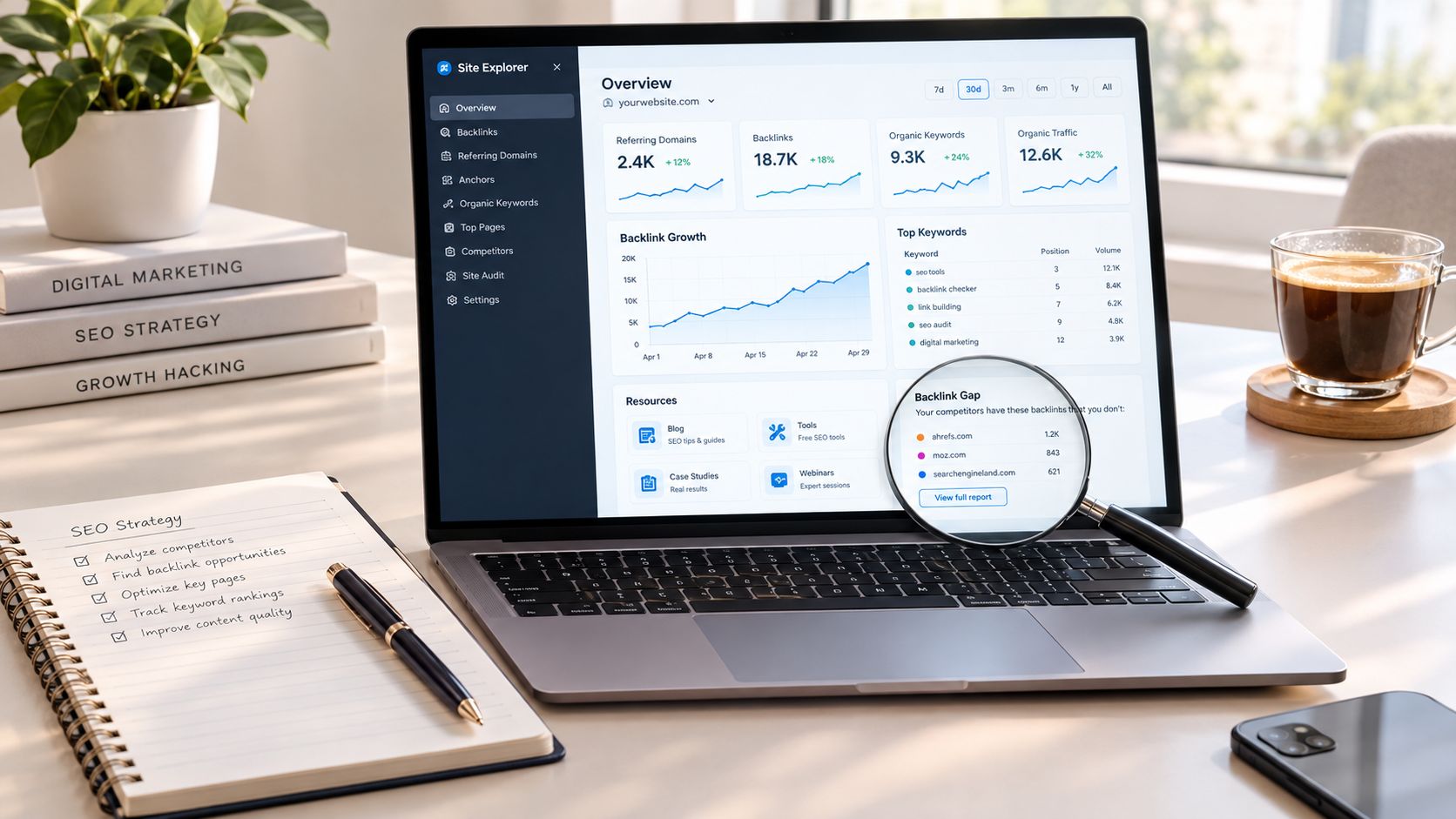
The biggest mistake I see with a site explorer tool is treating the biggest index as the same thing as the best decision. A huge backlink export can still leave you guessing if you don't know which URLs rank, which anchors matter, where the gaps sit, and whether the page you want to improve is even aligned with current SERP intent. I use site explorer data as evidence, not as the answer.
That's how I judge these tools in practice. I'm looking for repeatable workflows, finding ranking pages, checking backlink gaps, validating search intent, auditing lost links, and turning that into a content update or outreach list. Traffic estimates and link indexes are directional, so I compare patterns, URLs, and live SERP context before I trust any single metric.
Tabla de contenido
- 1. SemDash
- 2. Ahrefs, Site Explorer
- 3. Semrush, Domain Overview and Backlink Analytics
- 4. Majestic, Site Explorer
- 5. Moz, Link Explorer
- 6. SE Ranking, Domain and Backlink Research
- 7. Serpstat, Site and Backlink Analysis
- 8. Similarweb, Digital Marketing Intelligence
- 9. SISTRIX, Toolbox
- 10. Mangools, SiteProfiler and LinkMiner
- Top 10 Site Explorer Tools, Side-by-Side Comparison
- Choose the Workflow Before the Site Explorer Tool
1. SemDash
SemDash is most useful when I want one place to check a page before I touch it. If a URL is ranking on the wrong query set, or if the wrong page is attracting links, I can trace that back to the exact ranking URL and decide whether to consolidate, redirect, or rewrite. That URL-level mapping matters because it stops a common mistake, improving a page that is not the one Google already trusts.
The workflow value is broader than a feature checklist. I can move from competitor domain analysis to top pages, keyword gaps, backlink gaps, and unlinked mentions without rebuilding the same question in another tool, which makes the handoff from diagnosis to action faster. The AI Overviews view is also useful for checking whether a query shows Google's AI answers and which URLs are cited there, so I can decide whether a page needs new coverage, stronger authority signals, or a different target page entirely.
Where it helps most in real work
The strongest use case is reverse-engineering a competitor page map. I start with the pages that already pull traffic, then check which keywords sit on those URLs, where my site is missing coverage, and whether any link gap explains the difference. That sequence gives me a practical brief for content updates or outreach, instead of a loose list of metrics.
It is also handy for link reclamation. Unlinked mention tracking and broken-backlink review sit in the same workflow, so I do not have to stitch together separate reports before deciding whether to request a citation or replace a dead page.
Regla práctica: use SemDash when you need one research stack for keyword discovery, backlink analysis, SERP history, and AI visibility, not when you only need a single narrow metric.
The trade-off is specialization. Teams that only care about very large link-only analysis may still prefer a dedicated backlink tool, and enterprise buyers may want a deeper procurement process than a lighter platform usually supports. For smaller teams, consultants, and agencies, the value is often speed, URL mapping, and fewer handoffs.
2. Ahrefs, Site Explorer
Ahrefs is still one of the first tools I reach for when the job is pure backlink investigation. Site Explorer is strongest when I need to trace referring domains, anchors, broken links, and lost links, then line that up against organic pages and content gaps. The backlink index refresh cadence is also useful for campaign validation, because Ahrefs says fresh data arrives every 15 minutes on its backlink checker, which is fast enough for tactical monitoring without pretending every crawl is final Ahrefs backlink checker.
That speed is useful, but I don't use it the same way I use slower, broader reporting. If I'm checking whether an outreach target has been picked up, a fast refresh helps. If I'm writing a board-level report, I give the index time to settle and I compare multiple URLs and link patterns before I call anything a win.
Best-fit workflows
- Anchor audits: useful when I need to see whether a page has branded, partial-match, or awkward anchor patterns.
- Lost-link recovery: helpful for spotting pages that lost equity and need either a fix or a replacement asset.
- Competitor page mapping: solid for finding which pages attract the most links and where my site is behind.
I'd still pick Ahrefs over many alternatives when I care about mature workflows and a broad research stack. The downside is that full competitor research lives behind paid plans, and usage limits can become a real factor at scale. If Ahrefs is too expensive for the workflow you're running, I'd compare it against SemDash alternatives for Ahrefs before deciding whether I need that level of depth.
3. Semrush, Domain Overview and Backlink Analytics
Semrush is the tool I use when the brief is broader than backlinks. Domain Overview and Backlink Analytics give me enough structure to inspect authority, traffic, top pages, referring domains, anchors, and link history in one place, then I can layer keyword research and site audit work on top of it. That makes it better suited to agency reporting and cross-channel visibility than a link-only point tool.
The advantage is workflow consolidation. When a client wants a competitor snapshot, I can move from a domain's estimated traffic and top pages to link patterns and then into keyword research without rebuilding the analysis from scratch. That matters because most stakeholder questions aren't “how many links does this site have,” they're “why does this competitor outperform us across pages, topics, and visibility.”
What I'd watch for
Semrush is strong when the team needs breadth, but breadth creates its own friction. The pricing structure can feel complicated, and some workflows are capped by credits, so it's easy to overbuy capabilities you won't use. I'd be careful if the only job is backlink gap analysis, because you may end up paying for a lot of platform around a relatively narrow task.
For agency teams, though, the convenience is real. One login, one reporting environment, and one dataset for links, ranks, and audit work can save a lot of handoff time. I'd choose Semrush when the site explorer task sits inside a broader SEO program, not when it stands alone.
4. Majestic, Site Explorer
Majestic still feels like a specialist's tool in the best sense. It launched in 2008 and is described as one of the first search-engine-independent SEO tools for backlink analysis, and its Site Explorer includes a Historic Index with backlink records reaching back to 2006 Majestic Site Explorer overview. That historical depth is valuable when I want to understand long-run link-profile growth or how authority changed over time instead of only seeing the current snapshot.
The scale of the system is hard to ignore too. Majestic reports a Historic Index spanning 21,743,308,221,308 records from 06 Jun 2006 a 26 Mar 2024, and Moz's Link Explorer advertises 45.5 trillion links, 8.7 trillion URLs, y 1 billion domains Majestic reports on Site Explorer scale. Those numbers don't tell me which tool is “better” by themselves, but they do show how much backlink intelligence has turned into infrastructure rather than a simple export screen.
Where it earns its keep
Majestic is best when I need link-graph thinking. Fresh and Historic indexes let me compare recent discovery against long-term patterns, and the proprietary Flow Metrics are still useful for quick quality triage. Bulk checks and Clique Hunter are practical when I'm looking for intersecting domains across multiple competitors.
The trade-off is focus. Majestic doesn't try to be an all-in-one content, rank, and traffic suite, so keyword and traffic coverage are narrower than what I get from broader platforms. If I'm doing a full competitor audit, I'll often use Majestic for the link layer and another tool for page and keyword context. That's not a weakness if the assignment is link analysis, it's just a sign that the job is specialized.
5. Moz, Link Explorer
Moz Link Explorer works well for teams that want clear link metrics without a lot of operational noise. The interface is straightforward, the metrics are easy to explain, and it pairs cleanly with Moz Pro campaigns and Keyword Explorer. I've found it especially useful when a client wants a cleaner read on linking domains, inbound links, anchor text, and link intersect comparisons rather than a very deep crawler workflow.
¿Por qué lo usaría?
Moz's strength is clarity. Domain Authority, Page Authority, and the rest of the Moz vocabulary are familiar to a lot of stakeholders, so the reporting conversation is usually smoother. That matters in smaller teams where SEO isn't the only discipline in the room and everyone still needs to understand what a link metric is telling them.
There are limits, though. The link index can lag compared with more aggressive crawlers, and the free usage is tight enough that most serious work pushes you into Moz Pro. I don't consider that a flaw if the team already lives in Moz, but I wouldn't choose it for the deepest competitor backlink investigation if freshness and breadth are the priority.
Teams that already run Moz Pro often get more value by keeping the workflow inside one system than by chasing a bigger link index elsewhere.
For page-level research, I use Moz when I want a clean answer and a quick export, not when I need to reconstruct a whole link history. It's a good fit for measured audits, lighter content planning, and teams that value documentation and consistency.
6. SE Ranking, Domain and Backlink Research
SE Ranking is one of the better value plays in this category because it gives you a broad set of research and monitoring tools without forcing every workflow into an enterprise-style buying motion. Domain Research, Backlink Checker, Backlink Monitor, rank tracking, site audit, on-page work, and reporting all sit in the same platform, which makes it practical for agencies and SMBs that need one repeatable process.
I like it when the assignment is steady operational SEO rather than one-off deep dives. If I'm tracking a competitor, checking gained and lost links, and then validating the site's broader health, SE Ranking keeps the sequence tight enough that I don't waste time exporting data into yet another system. The own crawler and frequent refreshes are especially helpful for recurring monitoring.
Where it fits
- Agency reporting: good when the client wants one environment for research, tracking, and audits.
- Backlink monitoring: useful for gains and losses without building a separate tracker.
- Budget-conscious teams: strong when feature coverage matters more than elite-scale crawling.
The limitation is mostly plan structure. Caps vary, and API access can be an add-on on some tiers, so you need to know your workload before you commit. I'd recommend SE Ranking when the team wants a balanced research stack and doesn't need the biggest possible index to justify the buy.
7. Serpstat, Site and Backlink Analysis
Serpstat is the kind of platform I keep in mind when the budget has to stretch across several SEO tasks. Site Analysis, Backlink Analysis, rank tracking, site audit, and keyword clustering make it more than a basic link checker, but it still feels accessible enough for smaller teams that need pragmatic coverage instead of heavyweight complexity.
The biggest strength is the balance between breadth and cost. If I need competitor domains, traffic estimates, and backlink data together, Serpstat can get me there without the same level of commitment as the top-tier suites. The API access on higher tiers also helps if I'm trying to connect research work to internal dashboards or client reporting.
The trade-off
Serpstat takes a little more orientation than some larger suites, and data depth can vary by region and locale. That matters if you work across markets, because a tool that looks fine in one country can feel thin in another. I'd test it against the specific geographies and competitors that matter before I lock it into a standard workflow.
For smaller teams, Serpstat can be a very workable middle ground. It won't replace a specialist crawler when the assignment is deep link forensics, but it can absolutely support day-to-day site explorer work, especially when the goal is to identify opportunities and move quickly.
8. Similarweb, Digital Marketing Intelligence
Similarweb is the platform I use when the question is bigger than SEO. It gives me traffic estimates, channel and source breakdowns, top pages, referring sites, and audience overlap, which makes it useful for market and competitor intelligence rather than pure backlink work. If I'm trying to understand share-of-traffic or compare acquisition channels, it gives me context that a link tool won't.
That context is why I keep it in the mix. A site can look strong in backlinks and still lose on traffic composition or audience overlap, and Similarweb helps me see that gap. For teams that build strategy around market share, partner discovery, or media planning, that wider lens is often more useful than another link export.
I'd still treat it as a complement, not a replacement. It isn't a dedicated backlink crawler, so I don't use it when I need anchor audits, broken-link recovery, or detailed link graph analysis. For that reason, I'd pair it with a specialist link platform instead of trying to force it into a job it wasn't built to do.
If you're comparing its traffic view against a broader SEO stack, the practical decision usually comes down to scope. For a deeper side-by-side on market intelligence versus SEO-first research, I'd read SemDash's comparison of Semrush and Similarweb before choosing a reporting stack.
9. SISTRIX, Toolbox
SISTRIX has a different feel from many U.S.-centric SEO suites, and that can be a good thing if you care about visibility history and modular buying. Its Domain, Host, and URL modules give you a long view of rankings and competitive movement, while the Link module adds backlink profile, anchors, and growth context. I've found it especially useful when I want historical visibility lines instead of only a current snapshot.
Why practitioners like it
The modular structure matters. Some teams don't want to pay for a bloated all-in-one package when they only need a few research layers, and SISTRIX lets them buy more selectively. That's useful when the project is focused on one market, one client, or one recurring analysis type.
The trade-off is learning curve. The interface and underlying philosophy aren't identical to the other suites on this list, so I'd expect a short ramp-up before the workflow feels natural. Once that clicks, the historical comparisons and visibility framing become a real strength, especially for teams that think in long-run movement rather than only weekly reporting.
I'd pick SISTRIX when historical context is a core requirement and modular pricing makes more sense than bundled breadth. If I needed a quick, modern backlink-only workflow, I'd probably look elsewhere first. If I needed visibility history and link context together, it belongs in the conversation.
10. Mangools, SiteProfiler and LinkMiner
Mangools is the cleanest option on this list when I need a quick answer rather than a deep investigation. SiteProfiler gives me domain metrics, top content, and competitor insights, while LinkMiner handles backlink lookup, filtering, and link previews. Add KWFinder, SERPChecker, and SERPWatcher, and the suite becomes a lightweight research stack for smaller teams and solo operators.
Best use cases
- Fast checks: useful when I just need a quick read on a domain or page.
- Light outreach prep: good for vetting a handful of prospects without a heavy workflow.
- Budget-sensitive teams: approachable if you don't need enterprise-scale depth.
The reason I keep Mangools on the list is the interface. It's simple enough that new users usually don't waste a day learning where things live, which is a real advantage for freelancers and small teams. The downside is obvious too, the index and depth are smaller than what I'd want for large-scale link forensics or multi-market competitive research.
I'd use Mangools when speed and usability beat depth. If the assignment grows into full competitor mapping or sustained backlink monitoring, I'd graduate to a larger system.
Top 10 Site Explorer Tools, Side-by-Side Comparison
| Herramienta | Características principales | Data & Quality ★ | Puntos de venta únicos ✨ | Público objetivo 👥 | Pricing/value 💰 |
|---|---|---|---|---|---|
| SemDash 🏆 | Keyword (6.6B), Backlinks (2.7T), SERP history, AI briefs, URL-level mapping | ★★★★★ | ✨ AI Overviews (Google AI citations); URL-level mapping; backlink recovery workflows; fast UI | 👥 Small teams, consultants, growth teams | 💰 Free starter + trial; budget-friendly |
| Ahrefs, Site Explorer | Backlink index, organic/paid keywords, Top Pages, Content Gap | ★★★★★ | ✨ Mature backlink workflows; broad datasets; reporting connectors | 👥 Profesionales de SEO, agencias | 💰 Paid plans; usage credits |
| Semrush, Domain Overview + Backlink Analytics | Domain overview, backlink analytics, site audit, keyword tools | ★★★★ | ✨ All-in-one marketing suite; GA/GSC integrations | 👥 Agencies, in-house teams | 💰 Complex plans; add-ons |
| Majestic, Explorador de sitios | Fresh & Historic link indexes, Flow Metrics, Clique Hunter | ★★★★ | ✨ Trust Flow / Citation Flow; deep link-graph analysis | 👥 Link analysts, technical SEOs | 💰 Mid-tier; export/API on higher plans |
| Moz, Link Explorer (Moz Pro) | Inbound links, DA/PA, Link Intersect, Top Pages | ★★★★ | ✨ Clear DA/PA metrics; pairs with Moz Pro tools | 👥 Teams using Moz ecosystem | 💰 Moz Pro subscription; limited free checks |
| SE Ranking, Domain / Backlink research | Domain research, backlink monitor, rank tracking, site audit | ★★★★ | ✨ Strong price-to-feature; frequent crawler refreshes | 👥 SMB, agencias con presupuesto | 💰 Affordable tiers; generous allowances |
| Serpstat, Site / Backlink Analysis | Backlink analysis, site/domain metrics, rank tracking, clustering | ★★★★ | ✨ Balanced features for cost; API on higher tiers | 👥 SMBs, growing teams | 💰 Competitive pricing; per-report limits |
| Similarweb, Digital Marketing Intelligence | Traffic estimates, channel breakdowns, top refs, audience overlap | ★★★★ | ✨ Market & audience insights beyond pure SEO | 👥 Product/market teams, enterprises | 💰 Sales-assisted; premium |
| SISTRIX, Toolbox (Link / Domain modules) | Visibility index, link module, historical SERP & rankings | ★★★★ | ✨ Long historical timelines; modular country pricing | 👥 European agencies, analysts | 💰 Modular pricing; add-ons |
| Mangools, SiteProfiler + LinkMiner | Domain metrics, backlink lookup, KWFinder, SERP tools | ★★★ | ✨ Simple UI; Chrome extension; quick checks | 👥 Freelancers, small teams | 💰 Very affordable; plan caps |
Choose the Workflow Before the Site Explorer Tool
The cleanest way to choose a site explorer tool is to start with the job, not the brand. If I need deep backlink investigation, I look first at Ahrefs, Majestic, Moz, SE Ranking, Serpstat, or Mangools depending on how much depth, budget, and reporting structure I need. If I need broader competitor and content research, SemDash and Semrush make more sense because they unify keyword, link, SERP, and page-level analysis in one place.
For traffic-market context, Similarweb belongs in the stack because backlink data alone won't tell you how a competitor acquires attention. For historical visibility, SISTRIX is useful when long-run movement matters more than a fast one-off export. For lightweight checks, Mangools and Moz are easier to onboard and easier to keep consistent across small teams.
My selection sequence is simple. First, define the decision. Second, inspect domain and URL-level evidence. Third, compare referring domains and anchors. Fourth, validate the target page against current SERPs. Fifth, record the tool's limits before you commit to reporting or outreach. That order keeps you from mistaking a big dataset for a useful answer.
SemDash is especially relevant if you want a consolidated workflow that covers keyword discovery, backlink research, URL mapping, AI Overviews, historical SERP analysis, and content planning in one workspace. Specialized tools still win when the job is narrow, but consolidation wins when the work is ongoing and cross-functional. For a team that wants fewer handoffs and faster decisions, that difference is usually the one that matters.
If you want a site explorer workflow that connects keyword gaps, backlink gaps, SERP history, and AI Overview visibility in one place, take a look at SemDash. It's built for the exact kind of research loop this article focuses on, and it can help you move from analysis to action faster.